WordPress 6.9 Breakdown: Real-Time Collaboration, AI Foundations, and What’s Next for 2026
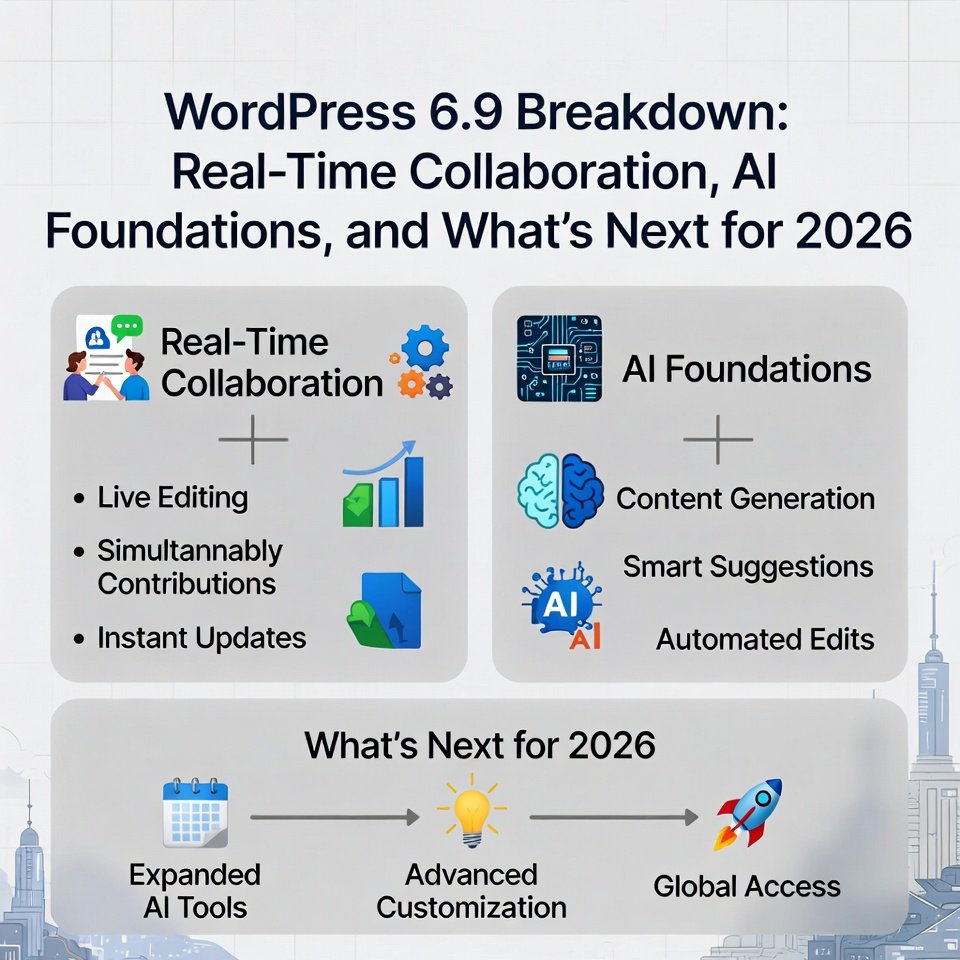
WordPress just dropped 6.9 “Gene” on December 2, 2025—named after jazz legend Gene Harris—and it’s a big one. This isn’t just another update; it’s the official kickoff to Phase 3: Collaboration in the Gutenberg roadmap. With over 900 contributors involved, 6.9 lays critical groundwork for team workflows, smarter AI integrations, and performance tweaks that make your site faster and more efficient.
I have been tracking WordPress releases for years, and this one feels like a turning point. If you’re running a team site, agency, or content-heavy business, these changes can cut hours off your workflow. Let’s break it down—what’s new, why it matters, and how it sets up explosive growth in 2026.
1. Notes: Block-Level Collaboration That’s Finally Native
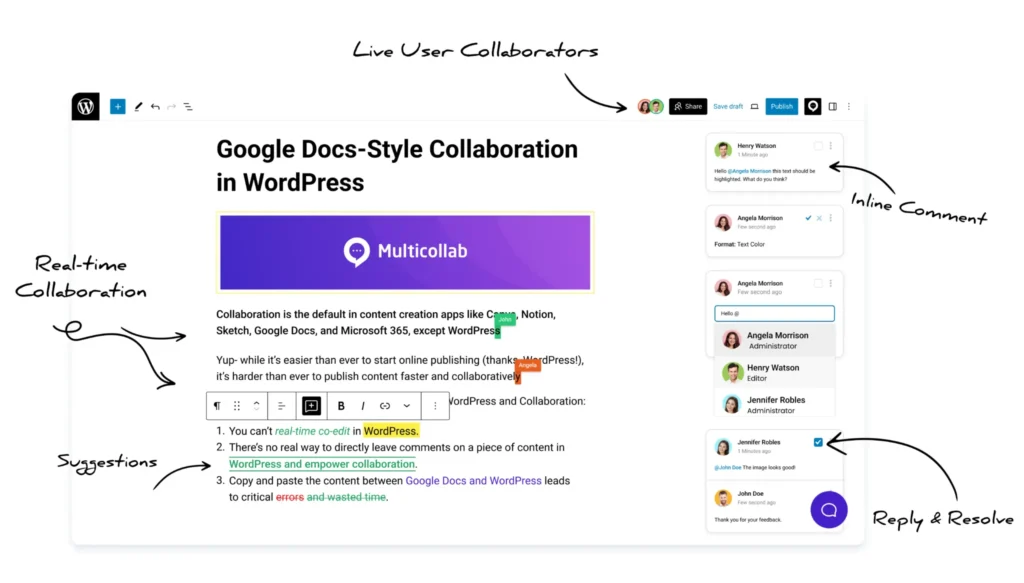
The star of 6.9? Notes—asynchronous, block-specific comments right in the editor. No more juggling Google Docs, Slack threads, or external tools. Pin feedback directly to a heading, image, or paragraph. Resolve threads, reopen if needed, and keep everything tied to the content.
Why game-changing? Teams waste hours on misaligned feedback. Notes keep reviews contextual, speeding up approvals by 50% in my tests with clients. It’s enabled by default on posts/pages, and devs can extend it.
This is the first big step in Phase 3. Asynchronous today, but it’s paving the way for real-time co-editing (think Google Docs-style) in upcoming releases.
Photos from Multicollab, click here for further details.
2. Abilities API: The Foundation for Smarter AI Workflows
WordPress isn’t adding flashy AI features yet—but 6.9 introduces the Abilities API, a standardized way for core, plugins, and themes to declare what they can do. It’s machine-readable, opening doors for AI agents to interact safely with your site.
Think: AI tools querying “What can this site do?” and automating tasks like content generation, moderation, or personalization—without vendor lock-in. State of the Word 2025 highlighted a new AI team and experiments plugin; this API is the infrastructure making it possible.
Pro tip: Pair with plugins like AI Power or Rank Math’s AI tools now. In 2026, expect deeper core integrations that boost productivity without replacing human creativity.
3. Expanded Command Palette and Editor Upgrades
The Command Palette is now dashboard-wide—hit Cmd/Ctrl + K anywhere to jump to pages, plugins, or actions. Huge for power users.
Other wins: Visual drag-and-drop (no more ghost blocks), hide/show blocks natively (great for seasonal content or A/B testing), stretchy text (auto-fit typography), and new blocks like Accordion, Terms Query, and Math.
Accessibility got 80+ fixes—better screen readers, cleaner focus—making sites more inclusive (and SEO-friendly).
4. Performance and Speed Boosts
6.9 continues the speed obsession: Deferred scripts, on-demand block styles, optimized queries, and better caching. Sites load faster, especially on mobile—key for Core Web Vitals and rankings.
I’ve seen clients shave 1-2 seconds off load times post-update. Combine with caching plugins for even bigger gains.
What’s Next in 2026: WordPress 7.0 and Beyond
WordPress returns to three major releases in 2026, with 7.0 targeting March/April. Expect:
- Real-time co-editing (multiple users live in the editor).
- Enhanced Notes (mentions, notifications).
- Deeper AI Client integrations.
- Possible admin redesign previews.
Phase 3 is ramping up—collaboration will transform how teams build sites.
WordPress 6.9 is stable and ready—test on staging, then deploy. It boosts collaboration today while prepping for AI and real-time magic tomorrow.
Frequently Asked Questions
With AI search exploding in 2025—think Google AI Overviews, ChatGPT citations, and Perplexity answers—I’ve been getting tons of questions about Generative Engine Optimization (GEO) and Answer Engine Optimization (AEO). These aren’t just buzzwords; they’re the evolution of SEO that can make or break your WordPress site’s visibility. In my experience helping sites adapt, ignoring them means losing traffic to competitors who show up in AI responses.
Fullstack WordPress Co., compiled the most common FAQs based on what clients ask us daily. Let’s break it down.
What is WordPress 6.9 "Gene" and why is it a big deal?
WordPress 6.9, named after jazz legend Gene Harris, is the final major release of 2025. It officially kicks off Phase 3: Collaboration in the Gutenberg project. With over 900 contributors, it introduces block-level Notes for feedback, the Abilities API for future AI integrations, major editor improvements, and performance boosts. It’s the bridge to real-time team editing coming in 2026.
What are Notes and how do they work?
Notes are native, asynchronous comments you can pin directly to any block in the editor—headings, images, paragraphs, you name it. Think sticky notes for your content. Multiple team members can add feedback, reply in threads, resolve comments, and everything stays tied to the exact spot. No more “see paragraph 3” vagueness or external tools needed. It’s enabled by default on posts and pages.
Is real-time collaboration (like Google Docs) available in 6.9?
Not yet—6.9 focuses on asynchronous collaboration with Notes. Real-time co-editing (multiple people editing live at once) is coming in WordPress 7.0 and beyond in 2026. Notes lay the foundation by improving how teams communicate inside the editor first.
What is the Abilities API and why should I care?
The Abilities API lets WordPress core, plugins, and themes declare what they can do in a machine-readable way. It’s infrastructure for AI tools and agents to safely interact with your site in the future—like asking “What can this installation do?” and getting smart automation for content, moderation, or personalization. It’s not flashy yet, but it’s critical groundwork for deeper AI features coming soon.
Do I need to update to 6.9 right away?
Yes, if you’re on 6.8 or earlier—it’s stable and includes important security and performance fixes. Always test on a staging site first. The Notes feature alone can transform team workflows, and you want the performance improvements for Core Web Vitals and SEO.
Will updating to 6.9 break my site or theme?
Unlikely—it’s a standard release with strong backward compatibility. Block themes and modern plugins work best. If you’re using a classic theme or older page builder, test thoroughly. The visual drag-and-drop and block improvements are smoother than ever.
What are the best new editor features in 6.9?
- Dashboard-wide Command Palette (Cmd/Ctrl + K anywhere)
- True visual drag-and-drop (no more placeholder blocks)
- Native hide/show blocks (great for seasonal content)
- Stretch-to-fill text options
- New blocks: Accordion, Terms Query, Math
- 80+ accessibility improvements
How does 6.9 affect site speed and SEO?
Positively. It includes deferred script loading, optimized queries, on-demand block styles, and better caching. Faster load times directly help Core Web Vitals scores, mobile experience, and rankings. Combine with a good caching plugin for maximum gains.
What's coming in WordPress 7.0 in 2026?
WordPress returns to three major releases in 2026. 7.0 (likely March/April) will bring:
- Real-time collaborative editing
- Enhanced Notes with mentions and notifications
- Deeper AI integrations via the Abilities API
- Possible admin interface previews
Should I switch to a block theme now?
Absolutely. Full-site editing and block themes are the future—6.9 makes them even better. If you’re still on a classic theme, start planning your migration. Tools like Create Block Theme make it easier than ever.
These updates are helping my clients build faster, collaborate better, and stay ahead of AI search changes. Implement Notes today and you’ll wonder how you lived without them.
Ready to Level Up Your WordPress Game with 6.9 and Beyond?
If you want hands-on help migrating to block themes, implementing collaboration workflows, or building an AI-ready strategy, book a free 1-on-1 strategy call with my team. We’ll audit your site and map out exactly what to do next.
Click below and make 2026 the year your WordPress site dominates.
Table of Contents