
Top Performance Optimization Tips for WordPress Core Web Vitals in 2026
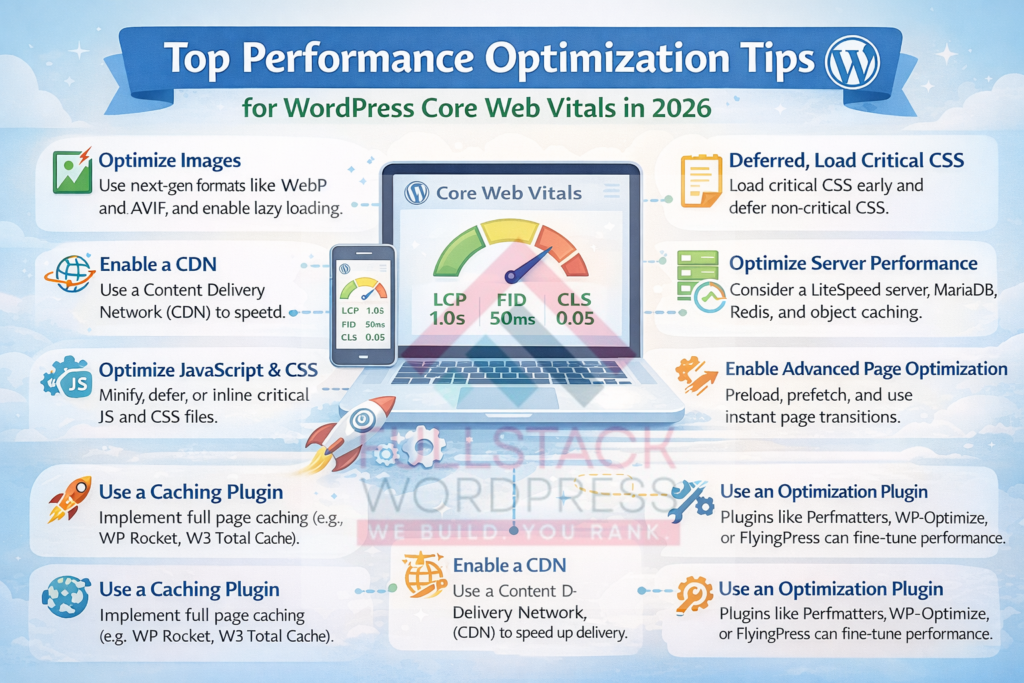
As we close out 2025 and head into 2026, site speed isn’t just nice-to-have—it’s make-or-break. Google’s Core Web Vitals (LCP, INP, CLS) remain key ranking factors, with INP now fully replacing FID as the interactivity metric. Poor scores mean higher bounce rates, lost traffic, and frustrated users. The good news? WordPress 6.9’s recent performance boosts—like on-demand block CSS and deferred loading—make hitting good thresholds easier than ever.
We have optimized hundreds of sites, and clients see 20-50% traffic gains from strong Core Web Vitals. In 2026, with AI search demanding fast, stable experiences, these tips will future-proof your WordPress site.
1. Quick Refresher: Core Web Vitals Thresholds
- LCP (Largest Contentful Paint): <2.5s (loading)
- INP (Interaction to Next Paint): <200ms (interactivity)
- CLS (Cumulative Layout Shift): <0.1 (stability)
Aim for “good” on 75% of visits via Google Search Console.
2. Leverage WordPress 6.9’s Built-In Wins
AI referrals surged 357% year-over-year, while traditional clicks dropped. Zero-click searches are rising—users get answers without visiting sites. If you’re not cited in AI, you’re invisible.
Benefits: Higher brand awareness (even in zero-click), referral traffic from citations, and authority building. I’ve seen clients gain 20-50% more impressions by layering GEO/AEO on SEO.
3. Choose a Performance-Focused Host and CDN
Shared hosting kills TTFB (aim <200ms). Switch to managed WordPress hosts like SiteGround, Kinsta, or those with built-in CDNs. Add Cloudflare or Bunny CDN for global edge delivery.
I’ve seen LCP drop from 4s+ to under 2s just by migrating.
4. Implement Smart Caching
Caching turns dynamic WordPress into static lightning. Top plugins:
- WP Rocket (premium, all-in-one)
- LiteSpeed Cache (free, powerful if on LiteSpeed server)
- Jetpack Boost (free, Core Web Vitals-focused)
Enable page caching, browser caching, and preload critical resources.
5. Optimize Images Ruthlessly
Images cause 50%+ of LCP issues. Use WebP/AVIF formats, lazy load offscreen, and proper sizing. Plugins: Smush, Imagify, or EWWW Image Optimizer.
Native lazy loading in modern themes helps too.
6. Defer JavaScript and Optimize CSS
Render-blocking resources tank LCP/INP. Delay non-essential JS, inline critical CSS, and minify everything.
WP Rocket or Perfmatters handle this effortlessly—often fixing INP by reducing main-thread work.
7. Set Dimensions and Font Display
CLS nightmares? Always set width/height on images/embeds. Use font-display: swap to avoid text shifts.
Block themes in 6.9+ make this easier with built-in controls.
8. Minimize Plugins and Update Everything
Too many plugins = bloat. Audit and remove unused ones. Run latest PHP (8.3+ or 8.5 for extra speed) and keep WordPress/plugins/themes current.
9. Monitor and Test Regularly
Use Google Search Console’s Core Web Vitals report, PageSpeed Insights, and GTmetrix. Real-user data trumps lab tests.
In 2026, watch for potential soft-navigation metrics—optimize for fast interactions everywhere.
10. Start Optimizing Today
These tips, combined with 6.9’s upgrades, get most sites to green scores fast. Faster sites rank higher, convert better, and delight users—especially in AI-driven search.
Frequently Asked Questions
Core Web Vitals are still one of the biggest ranking factors heading into 2026, and I’m getting tons of questions from site owners struggling with LCP, INP, and CLS scores. With WordPress 6.9 delivering built-in performance wins and AI search rewarding lightning-fast experiences, optimizing now is non-negotiable.
Here are the most common FAQs we hear—straight answers to help you get your WordPress site scoring green fast.
What are Core Web Vitals and why do they matter in 2026?
Core Web Vitals measure real-user experience:
- LCP (Largest Contentful Paint): How fast the main content loads (<2.5s good)
- INP (Interaction to Next Paint): Responsiveness to clicks/taps (<200ms good)
- CLS (Cumulative Layout Shift): Visual stability (<0.1 good)
Google uses them as ranking signals, and poor scores mean higher bounces and lower conversions. In 2026, with AI-driven search favoring fast sites, strong vitals also boost visibility in AI results.
Has WordPress 6.9 improved Core Web Vitals automatically?
Yes! 6.9 brings on-demand block CSS, deferred scripts, optimized hidden blocks, and better caching. Many sites see 10-20 point PageSpeed gains just from updating. It’s the biggest built-in performance jump in years.
What's the quickest way to improve LCP on WordPress?
Focus on server response time and render-blocking resources:
- Upgrade to managed hosting with CDN
- Enable full-page caching (WP Rocket or LiteSpeed)
- Optimize/defer CSS and JavaScript
- Serve next-gen images (WebP/AVIF)
We have seen LCP drop from 5s+ to under 2s with these alone.
How do I fix high INP scores?
INP replaced FID and measures interactivity. Common culprits: heavy JavaScript, third-party scripts, bloated themes/plugins. Fixes:
- Defer non-essential JS
- Use lightweight themes (block-based preferred)
- Minimize plugins
- Choose performance-focused tools like Perfmatters
Why is my site getting layout shifts (CLS)?
Usually unsized images, embeds, or dynamic content. Always set width/height attributes, use font-display: swap, and reserve space for ads/widgets. Block themes in 6.9+ handle this better natively.
Which caching plugin is best for Core Web Vitals in 2026?
Top picks:
- WP Rocket (premium, easiest all-in-one)
- LiteSpeed Cache (free, powerful on LiteSpeed servers)
- Jetpack Boost (free, specifically targets vitals)
WP Rocket consistently delivers the biggest gains for most users.
Should I switch to a block theme for better performance?
Yes. Block themes load less CSS/JS overall, especially with 6.9’s on-demand styles. They’re leaner than classic themes and future-proof for upcoming features.
How often should I test Core Web Vitals?
Weekly at minimum. Use:
- Google Search Console (real field data)
- PageSpeed Insights
- GTmetrix/WebPageTest
Monitor both lab and field data—Google prioritizes real users.
Do too many plugins really hurt Core Web Vitals?
Absolutely. Each plugin adds queries, scripts, and bloat. Audit regularly: deactivate and delete unused ones. Aim for under 20-30 active plugins on most sites.
Will optimizing vitals help with AI search (GEO/AEO)?
Indirectly, yes. Fast, stable sites provide better user experiences, which AI tools prioritize when citing sources. Plus, strong vitals often correlate with higher traditional rankings.
Getting to green scores isn’t rocket science—just consistent, smart tweaks.
Skyrocket Your WordPress Speed and Rankings in 2026
If your site is struggling with poor vitals and you want personalized help, book a free strategy call with my team. We’ll run a full audit, pinpoint your biggest bottlenecks, and give you a custom roadmap to green scores fast.
Click below and make 2026 the year your WordPress site loads like lightning.
Table of Contents