
Website Redesign Checklist: 15 Steps for Success
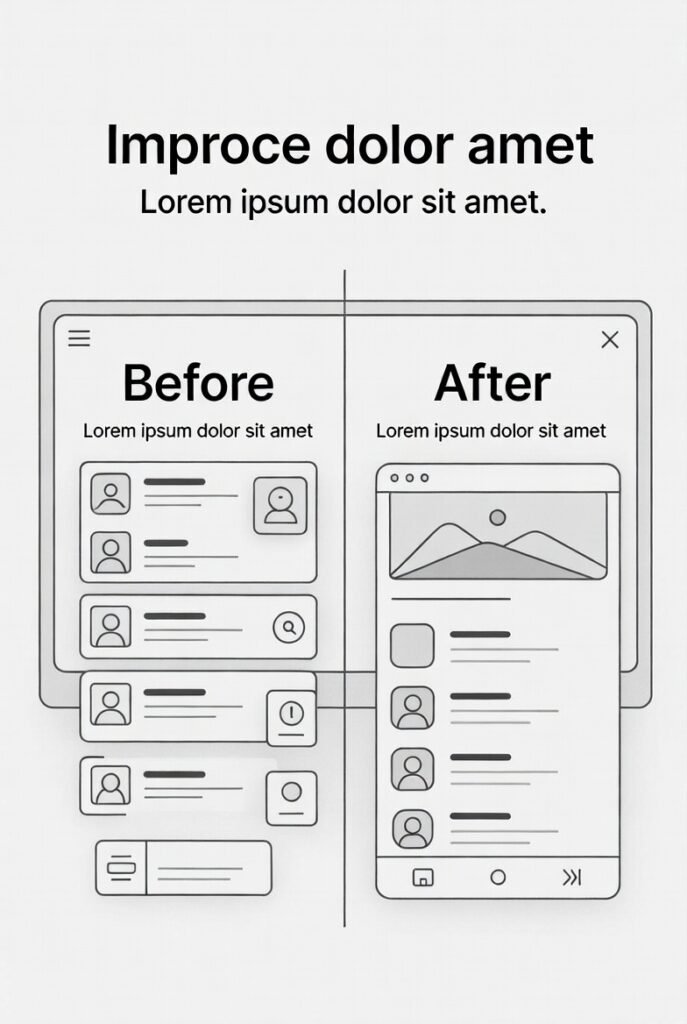
A Website Redesign Checklist helps you relaunch your site without losing traffic, rankings, or conversions. Redesigning a website is more than updating visuals. It involves strategy, SEO, user experience, and performance optimization.
If done correctly, a redesign improves engagement, increases conversions, and strengthens search visibility. If done poorly, it can damage rankings and reduce revenue.
This guide provides a step by step website redesign checklist you can follow to ensure success.
Why You Need a Website Redesign Strategy
A website redesign strategy ensures that design decisions align with business goals. Before changing layouts or branding, ask:
What is not working on the current site?
Which pages generate the most traffic?
Where are users dropping off?
What are your conversion goals?
Redesign website for conversions, not just aesthetics. Data-driven decisions lead to better results.
Step by Step Website Redesign Checklist
1. Audit Current Performance
Review analytics data:
Top-performing pages
Bounce rates
Conversion rates
Keyword rankings
This prevents losing high-value content during the redesign.
2. Define Clear Goals
Set measurable objectives:
Increase conversion rate by 20%
Reduce bounce rate
Improve page speed
Rank higher for target keywords
Your Website Redesign Checklist must align with these targets.
3. Conduct SEO Website Redesign Planning
SEO website redesign requires careful preparation.
Tasks include:
Keyword mapping
URL structure review
Metadata preservation
Internal link mapping
This step protects organic traffic.
4. Create a Website Migration Checklist
A website migration checklist ensures smooth transition.
Include:
301 redirects
XML sitemap updates
Robots.txt review
Canonical tags verification
These elements help search engines crawl the new site efficiently.
5. Improve UX Website Improvements
UX website improvements increase engagement and trust.
Focus on:
Clear navigation
Mobile responsiveness
Readable typography
Logical content hierarchy
Research from Nielsen Norman Group confirms that usability directly impacts conversions.
How to Redesign a Website Without Losing Traffic
o redesign a website without losing traffic:
Keep URL structures consistent where possible
Implement proper redirects
Maintain optimized content
Monitor Google Search Console after launch
Test for broken links
A website redesign checklist for SEO reduces ranking volatility.
Redesign Website for Conversions
A successful redesign improves conversions through:
Strong value propositions
Clear calls to action
Social proof
Fast loading speed
Trust signals
Landing pages should focus on one goal. Reduce distractions and guide users toward action.
Website Redesign Checklist for Small Businesses
Small businesses must prioritize:
Budget-friendly improvements
High-impact pages first
Mobile optimization
Clear service pages
Local SEO enhancements
If serving multiple cities, create location-specific pages with optimized content. This supports geographic optimization and improves regional visibility.
Technical SEO Essentials
During redesign, protect search visibility:
Maintain structured data
Optimize Core Web Vitals
Compress images
Improve server performance
Test mobile usability
Google Search Central emphasizes crawlability and helpful content as ranking factors.
External Authority References
External Authority References
Google Search Central (SEO & Site Best Practices)
https://developers.google.com/search/docsNielsen Norman Group – Usability Research & UX Guidelines
https://www.nngroup.com/articles/HubSpot – Website Redesign Best Practices Guide
https://blog.hubspot.com/marketing/website-redesign
These authoritative sources strengthen credibility, support E-E-A-T signals, and reinforce SEO best practices aligned with Google standards.
Frequently Asked Questions
What is included in a step by step website redesign checklist?
A step by step website redesign checklist includes auditing current performance, defining goals, preserving SEO elements, improving UX, testing functionality, and implementing redirects.
How to redesign a website without losing traffic?
To redesign a website without losing traffic, maintain URL structures, apply 301 redirects, preserve metadata, and monitor analytics after launch.
What is a website redesign checklist for SEO?
A website redesign checklist for SEO includes keyword mapping, metadata transfer, internal link updates, structured data validation, and XML sitemap submission.
Why is a website migration checklist important?
A website migration checklist ensures that search engines understand the new structure and prevents ranking losses after launch.
How often should you redesign your website?
Most businesses redesign every 2 to 4 years, depending on performance, branding updates, and technological changes.
Does redesigning a website improve SEO?
Yes, if done correctly. SEO website redesign can improve speed, structure, and content quality, leading to higher rankings.
What are common redesign mistakes?
Common mistakes include removing high-ranking pages, failing to redirect URLs, ignoring mobile optimization, and neglecting testing.
Is UX important in website redesign?
Yes. UX website improvements directly influence engagement and conversion rates.
How long does a website redesign take?
Timelines vary, but most projects range from 6 to 16 weeks depending on scope and complexity.
Can small businesses benefit from a website redesign?
Absolutely. A focused website redesign checklist for small businesses can significantly increase leads and credibility.
Let's Make Your Website Checklist
A structured Website Redesign Checklist ensures your new site strengthens SEO, enhances user experience, and drives conversions. Redesign with strategy, not emotion. Protect your rankings. Optimize for growth.
Review your data. Plan carefully. Test thoroughly. Launch confidently.
Table of Contents